Bing is expanding their search footprint by adding a new search functionality to Microsoft Office, also known as “Insights for Office”. Users can now search directly from a search box within Word Online.
The search bar appears in the same line as the menu bars, complete with a yellow light bulb symbol. Interestingly though, it doesn’t make any reference to being or even have Bing’s “b” logo. It simply says “tell me what you want to do”, and is wrapped up as a search for how to do something in Word. However, the search is not just for support queries. You can search for anything with just as you would with a regular Bing search.
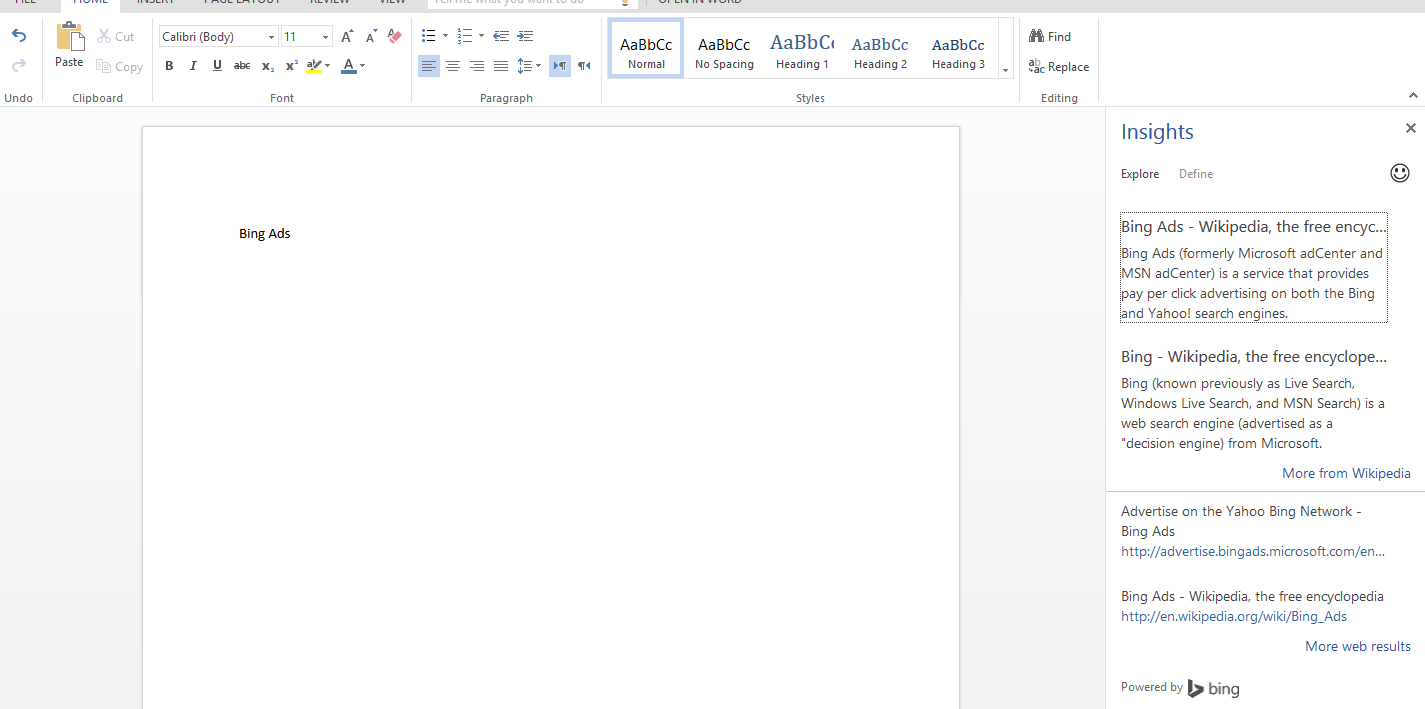
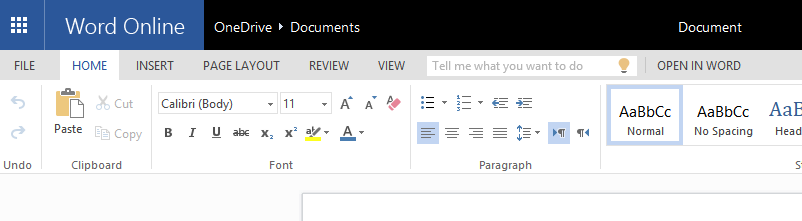 The search results appear in a sidebar panel to the right of the word document. This is similar to where support information would be when you searched for how to do something in Office. When you do a search, then a drop-down appears asking whether you want to get help for your search query, or “discover insights”, which is actually Bing search.
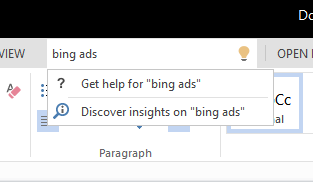 It is not very intuitive however is that people can use the search box to gets Bing search results for any topic, not just something specifically related to Word Online. Hopefully this usability issue will be updated in order to make people more aware of exactly what it is if they haven’t seen a story about it.
After a search is done, it does say is powered by Bing at the bottom of the results, but no ads appear to be displayed when you do search. If you click a search result, it will open up in a new browser tab or you can chose to view more web results, which do show up in the same sidebar within Word Online.
Bing made the announcement earlier this week on the Bing blog, and detailed why they felt it was a great option for them and very useful users.
Imagine your child is writing a report about Abraham Lincoln, they just started and so far they’ve typed: “Lincoln was the 16th president of United States. He was born in…” but then they’re stumped – they’ve forgotten when Honest Abe was born. They would have to leave Word, open a browser, and search for “Lincoln” – this takes extra time, can lead to distraction, and break the overall flow of what they want to learn.
When they arrive at a search results page, the results are all about different “Lincolns” including the car company, the movie and the town in Nebraska. The search box used in the browser doesn’t know quite enough about their intent – it can only provide results based on the query typed (“Lincoln”). The contents of the Word document are the context it needs to provide more relevance.
That’s where Insights for Office is different. It can use the words from your entire document (or also those you select) to pinpoint exactly what you are looking for. With the help of this context, we are able to rank the most relevant result at the top. Now Abraham Lincoln the president, is shown and not Lincoln the car company – all displayed conveniently next to your Word document. The results are also prioritized by relevance, including Snapshot, Wikipedia, Bing Image Search, and related web content to help find what you need.
Bing plans to roll out to all Word online users this week. But it is a nice way for Bing to grab a little bit more market share, if people start utilizing the feature.


Jennifer Slegg
Latest posts by Jennifer Slegg (see all)
- 2022 Update for Google Quality Rater Guidelines – Big YMYL Updates - August 1, 2022
- Google Quality Rater Guidelines: The Low Quality 2021 Update - October 19, 2021
- Rethinking Affiliate Sites With Google’s Product Review Update - April 23, 2021
- New Google Quality Rater Guidelines, Update Adds Emphasis on Needs Met - October 16, 2020
- Google Updates Experiment Statistics for Quality Raters - October 6, 2020