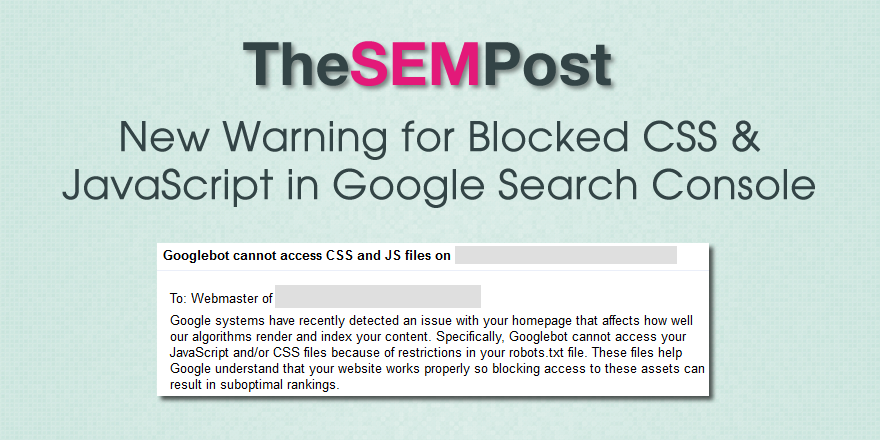
 Google Search Console has begun sending out a brand new warning to webmasters who are blocking CSS and JavaScript on their websites.
The new warning, also referred to as [WNC-658001] is send by both email and as an alert in Google Search Console for affected websites.
Googlebot cannot access CSS and JS files on _____
Google systems have recently detected an issue with your homepage that affects how well our algorithms render and index your content. Specifically, Googlebot cannot access your JavaScript and/or CSS files because of restrictions in your robots.txt file. These files help Google understand that your website works properly so blocking access to these assets can result in suboptimal rankings.
Here is a copy of the notice in Google Search Console.
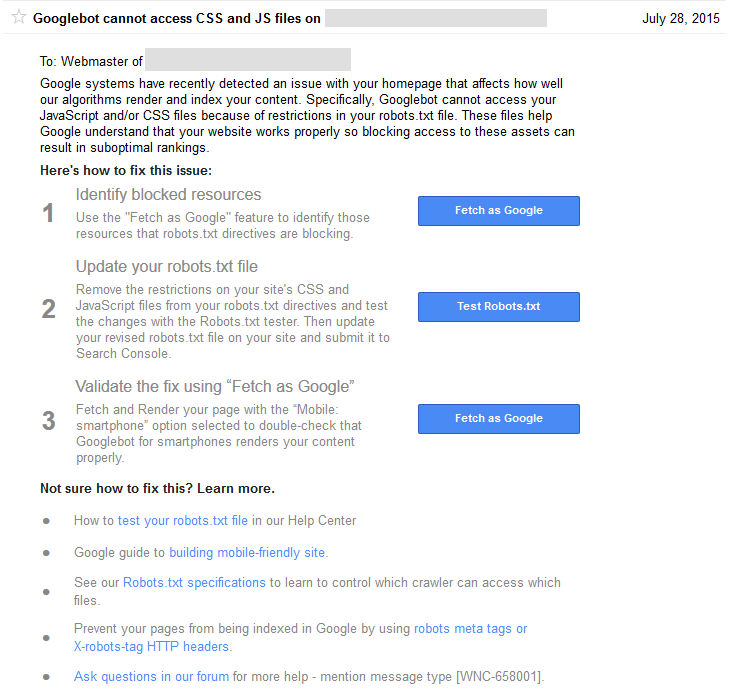 The warning also states emphatically that blocking Javascript and/or CSS “can result in suboptimal rankings.” While Google has been making it known that they must be unblocked as part of the mobile friendly algo, they did also make the changes to the Google technical guidelines advising that it can hurt all rankings last year.
If you need to know which resources are blocked, here is how to find them.
The blocked resources also show up in the “Blocked Resources” section under “Google Index” in Google Search Console. However, Michael Gray tweeted that he was getting the notice for resources that were not blocked.
The message also outlines details of how to fix the issue, likely to help those who have no idea what it means to block those resources and do not realize it is causing an issue.
Google has been increasing the number of messages they send to webmasters, alerting them to site issues that could negatively impact their rankings.
I have asked to see if there is information on how many webmasters received this warning, and will update if more becomes known.
Added: It looks like many are getting warnings from having “Disallow: /wp-content/plugins/” which can be blocked with some WordPress setups. If you use Yoast SEO, you can find the robots.txt in its new location here: SEO / Tools / Files.
Some are getting alerts for 3rd party resources that are blocked, however, Google has previously said 3rd party resources are not an issue since webmasters since they are generally outside of the webmaster’s control.
You can also follow us @Jenstar and @TheSEMPost as we most more updates.
Update 12:30pm PST: Some people weren’t aware there is a much easier way to find blocked resources than the “Fetch as Google” option for every page that Google suggests doing. Do double check, as some people who are reporting false positives actually discover they did have some resources blocked that they weren’t aware of. How to Find Blocked CSS & Javascript in Google Search Console.


Jennifer Slegg
Latest posts by Jennifer Slegg (see all)
- 2022 Update for Google Quality Rater Guidelines – Big YMYL Updates - August 1, 2022
- Google Quality Rater Guidelines: The Low Quality 2021 Update - October 19, 2021
- Rethinking Affiliate Sites With Google’s Product Review Update - April 23, 2021
- New Google Quality Rater Guidelines, Update Adds Emphasis on Needs Met - October 16, 2020
- Google Updates Experiment Statistics for Quality Raters - October 6, 2020
Christina Bhattacharya says
I too got this email. In another forum I saw that you just need to add this to your Robot.txt file:
Allow: *.css
Allow: *.js
MaurizioFumini says
Many Thanks, try now and i hope solve
Internet Services says
Received the same mail for all our WordPress, Magento and, Joomla CMS sites… None so far for Drupal sites and other resources. Still assessing for a possible pattern….
Steve says
84 WordPress sites and counting….
I have 250 in total so looking forward to the week ahead.. NOT!
All have the standard
-User-agent: *
-Disallow: /wp-admin/
-Disallow: /wp-includes/
The problem is there are mixed suggestions coming from all directions.. Even from “Experts” on the Google Product Forums.
I’m tempted to hold fire for a day or so, see what comes out in the wash….
Thomas says
I recommend adding this:
#Googlebot
User-agent: Googlebot
Allow: *.css
Allow: *.js
Daniel McClure says
Yeah, it looks like WordFence is triggering the issue on many WordPress sites blocking WP Admin access. Surely a completely open robots.txt is defeating its very purpose?!
Amit Sharma says
I received that very Email. But, it ended up in the spam folder. Apart from the said message and warnings, I’m concerned about the legitimacy of the Email as well.
Sennbrink Kommunikation says
Mail received for non-WordPress site now, so this is not WP/Wordfence exclusive.
Alan Bleiweiss says
It’s a flood of direct alert emails (I monitor dozens of client sites) and clients forwarding them to me as well today.
Sites affected are the mix of WP and non-WP.
For the non-WP sites what I’m finding is many pages that are flagged are showing as Mobile Friendly in that separate test. Yay confused messaging!
This is a complete mess. 🙂
Jimboot says
One site I was looking at had a misconfigured robots.txt . Literally whilst I was looking at it, Google changed it from allowed to disallowed and inserted / in the robots tester window.